Microsoft Access Employee Recruiting Template
Spend less time building your database, and hire top talent faster with a complete applicant tracking system.
Jump-Start Your Recruiting Initiative with UI Builder Templates
The Employee Recruiting template is included with the purchase of UI Builder Business or Enterprise edition. You receive full, open source code access to customize the forms, fields, and reporting to your exact hiring workflows, plus the full power of UI Builder for all future database projects.
Manage Employee Recruiting More Efficiently
Track job openings, applicants, and recruiting campaigns in a single consolidated Access system. Match required job competencies to candidate skills and evaluate source effectiveness.
- Track job openings with internal/external posting dates and status
- Maintain comprehensive EEO job categories for compliance reporting
- Match applicant skills and qualifications against active job openings
- Log interviews, screening notes, drug test results, and candidate history
- Identify high-performing recruitment campaigns and talent sources
- 5 pre-defined reports for opening summaries and campaign ROI metrics
- 100% open source code for full customizability
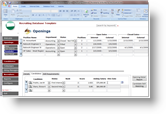 🔍 Click to enlarge
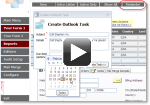 ► Watch video demo
Built on the Powerful UI Builder Framework
Save weeks of custom development. UI Builder equips your database with modern navigation menus, form-level permissions, and over 26+ pre-defined commands that can be assigned without writing complex VBA.
Explore All UI Builder Features →System Requirements
Compatible with Microsoft Access 2000, 2002, 2003, 2007, 2010, 2013, 2016, 2019, and Access for Microsoft 365 (supports both 32-bit and 64-bit editions).